
Avtor UR | Foto: stock.adobe.com 7:23 dop KULINARIKA IN RECEPTI

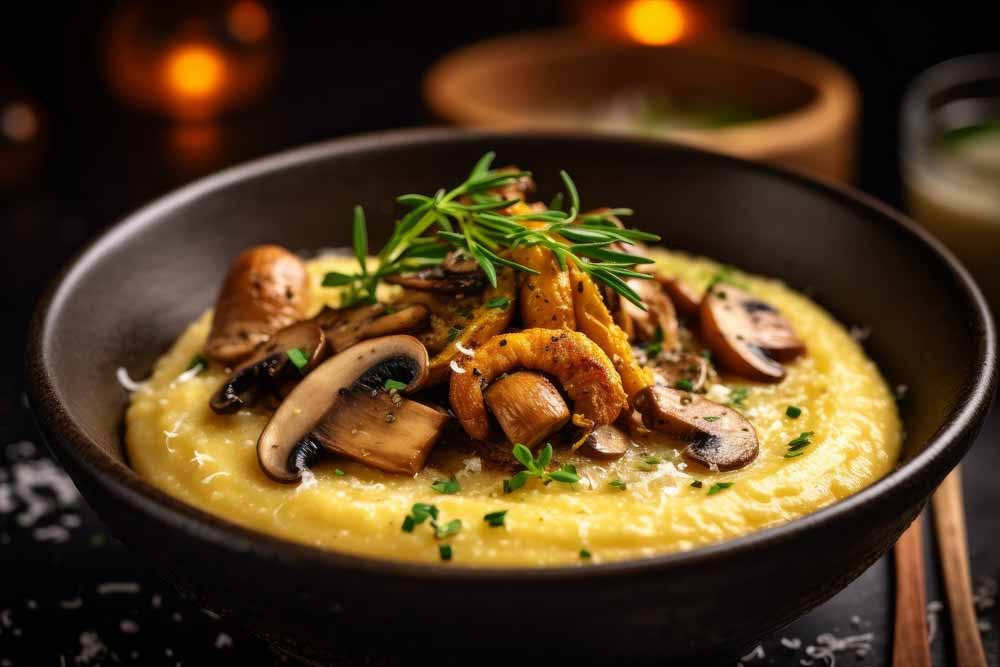
Sezona gob je tu: kremna polenta z gobami in timijanom

Na krožnike se vračajo gobe.

Če imamo sveže gobe, npr. jurčke, lisičke ali sirovke, so odlične ne le v juhi, rižoti ali testeninah, ampak tudi s kremno polento.

Preprosta jesenska jed je pripravljena v približno pol ure.

Sestavine za 2 osebi:
  • 150 g polente
  • 300 g svežih gob
  • 1 manjša čebula
  • 30 g masla
  • 50 g parmezana ali drugega trdega sira
  • približno 600 ml vode ali zelenjavne jušne osnove
  • 1 žlica oljčnega olja
  • sol in poper
  • svež peteršilj
  • svež timijan
Priprava:

Polento skuhamo v osoljeni vodi oziroma zelenjavni jušni osnovi po navodilih proizvajalca. Ko je kuhana, vanjo vmešamo polovico masla in nariban sir. Če želimo res kremasto polento, po potrebi prilijemo še malo vroče vode.

Gobe očistimo in narežemo na rezine oziroma večje koščke. Čebulo drobno sesekljamo.

V večji ponvi segrejemo oljčno olje in preostalo maslo. Dodamo čebulo in jo na zmernem ognju pražimo, da se zmehča. Dodamo gobe in jih nekaj minut pražimo na nekoliko višji temperaturi. Ponev naj ne bo prenatrpana, saj želimo, da se gobe lepo zapečejo in ne kuhajo v lastnem soku.

Proti koncu dodamo, sol, poper in timijan. Pražimo še minuto ali dve.

Kremno polento razdelimo na krožnike, čeznjo naložimo gobe in potresemo s svežim peteršiljem. Po želji dodamo še malo naribanega sira.

Pri gobah velja pomembno pravilo: nabiramo in uživamo samo vrste, ki jih zanesljivo poznamo. Če o določeni gobi nismo povsem prepričani, je ne uporabimo.


Še več zanimivih receptov z gobami:

(Visited 9 times, 9 visits today)
Close

Center Nastavitev Zasebnosti

Obvezni piškotki

Shranijo uporabnikovo odločitev glede sprejemanja piškotkov.

gdpr[allowed_cookies], gdpr[consent_types]: beleži uporabniško odločitev glede sprejetja ali zavrnitev uporabe piškotkov. Veljavnost: 1 leto.

Socialna omrežja

Facebook vtičnik; za povečanje sodelovanja naših uporabnikov preko družbenih omrežij, analizo prodaje, segmentacijo uporabnikov in ponovno targetiranje uporabnikov

c_user, datr, fr, pl, presence, sb, wd, xs, pnl_data2, act

Analitika

Analitika nam omogoča, da merimo število uporabnikov v obliki obiskov in klikov.

advanced_ads_browser_width, advanced_ads_page_impressions, advanced_ads_pro_server_info, advanced_ads_pro_visitor_referrer
_ga: merjenje obiskanosti s storitvijo Google Analytics. Veljavnost: 2 leti. _gat: piškotek ne hrani uporabniških podatkov, uporablja se za omejevanje pogostosti zadetkov pri merjenju obiskanosti strani s storitvijo Google Analytics. Veljavnost: 10 minut. _gid: naključno ustvarjeno unikatno število se uporablja za izračun podatkov o obisku našega spletnega mesta. s storitvijo Google Analytics. Veljavnost: 24 ur.

Analiza obiska

To function properly, Hotjar stores first-party cookies on your visitor's browser. Cookies are either set by the Hotjar script, or by visiting Hotjar's website. Displaying the correct content to your visitors without personally identifying anyone relies on Hotjar's cookies.

_hjClosedSurveyInvites Hotjar cookie. This cookie is set once a visitor interacts with a Survey invitation modal popup. It is used to ensure that the same invite does not re-appear if it has already been shown. 365 days _hjDonePolls Hotjar cookie. This cookie is set once a visitor completes a poll using the Feedback Poll widget. It is used to ensure that the same poll does not re-appear if it has already been filled in. 365 days _hjMinimizedPolls Hotjar cookie. This cookie is set once a visitor minimizes a Feedback Poll widget. It is used to ensure that the widget stays minimizes when the visitor navigates through your site. 365 days _hjDoneTestersWidgets Hotjar cookie. This cookie is set once a visitor submits their information in the Recruit User Testers widget. It is used to ensure that the same form does not re-appear if it has already been filled in. 365 days _hjIncludedInSample Hotjar cookie. This session cookie is set to let Hotjar know whether that visitor is included in the sample which is used to generate funnels. 365 days _hjShownFeedbackMessage This cookie is set when a visitor minimizes or completes Incoming Feedback. This is done so that the Incoming Feedback will load as minimized immediately if they navigate to another page where it is set to show. 365 days _hjid Hotjar cookie. This cookie is set when the customer first lands on a page with the Hotjar script. It is used to persist the Hotjar User ID, unique to that site on the browser. This ensures that behavior in subsequent visits to the same site will be attributed to the same user ID. 365 days _hjRecordingLastActivity This should be found in sessionStorage (as opposed to cookies). This gets updated when a visitor recording starts and when data is sent through the WebSocket (the visitor performs an action that Hotjar records). Session hjTLDTest When the Hotjar script executes we try to determine the most generic cookie path we should use, instead of the page hostname. This is done so that cookies can be shared across subdomains (where applicable). To determine this, we try to store the _hjTLDTest cookie for different URL substring alternatives until it fails. After this check, the cookie is removed. Session _hjUserAttributesHash User Attributes sent through the Hotjar Identify API are cached for the duration of the session in order to know when an attribute has changed and needs to be updated. Session _hjCachedUserAttributes This cookie stores User Attributes which are sent through the Hotjar Identify API, whenever the user is not in the sample. These attributes will only be saved if the user interacts with a Hotjar Feedback tool. Session _hjLocalStorageTest This cookie is used to check if the Hotjar Tracking Script can use local storage. If it can, a value of 1 is set in this cookie. The data stored in_hjLocalStorageTest has no expiration time, but it is deleted immediately after creating it so the expected storage time is under 100ms. N/A _hjptid This cookie is set for logged in users of Hotjar, who have Admin Team Member permissions. It is used during pricing experiments to show the Admin consistent pricing across the site. Session _hjAbsoluteSessionInProgress The cookie is set so Hotjar can track the beginning of the user's journey for a total session count. It does not contain any identifiable information. 30 minutes